
Indexed vs Not Indexed: What is the difference?
Why the Page Indexing report might be widely misunderstood by SEO teams.

Subscribe to the newsletter to get more unique indexing insight straight to your inbox…
…or watch a demo of Indexing Insight which helps large-scale sites diagnose indexing issues.
Many SEO teams misunderstand what the Page Indexing Report shows.
This confusion leads to poor decisions about technical SEO work. Understanding how Google’s index works helps you prioritise the right fixes.
This newsletter will cover the following topics:
What is Google’s index?
Page Indexing Report Explained
The difference between Indexed vs Not Indexed.
What is Google’s Index?
First, let’s get a foundational understanding of Google’s Search Index.
The Google Search Index seems complex (because it is)…
…but at a macro-level the Web Index is just a large series of databases that sit on thousands of computers. To quote Gary Illyes:
“The Google index is a large database spread across thousands of computers.” - Gary Illyes, How Google Search indexes pages
This is an important fact to understand because it changes how you look at the data in Google’s Search Console.
Page Indexing Report Explained
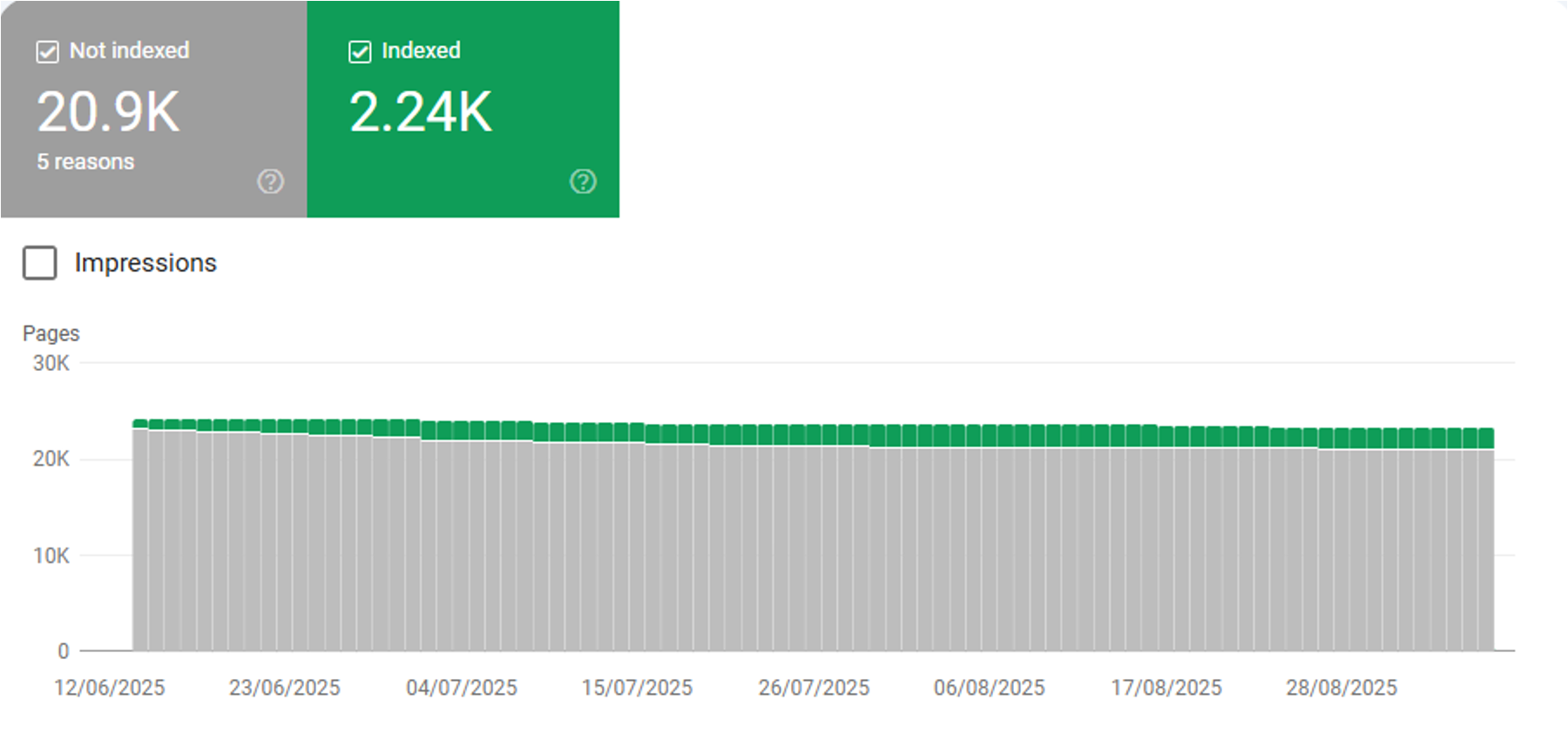
The Page Indexing report is a way to see which pages are Indexed and Not Indexed.
I believe that many SEO professionals and businesses widely misunderstood the data in this report.
Many believe that the Page Indexing Report shows you what is stored in Google’s index and what is excluded from Google’s index (databases).
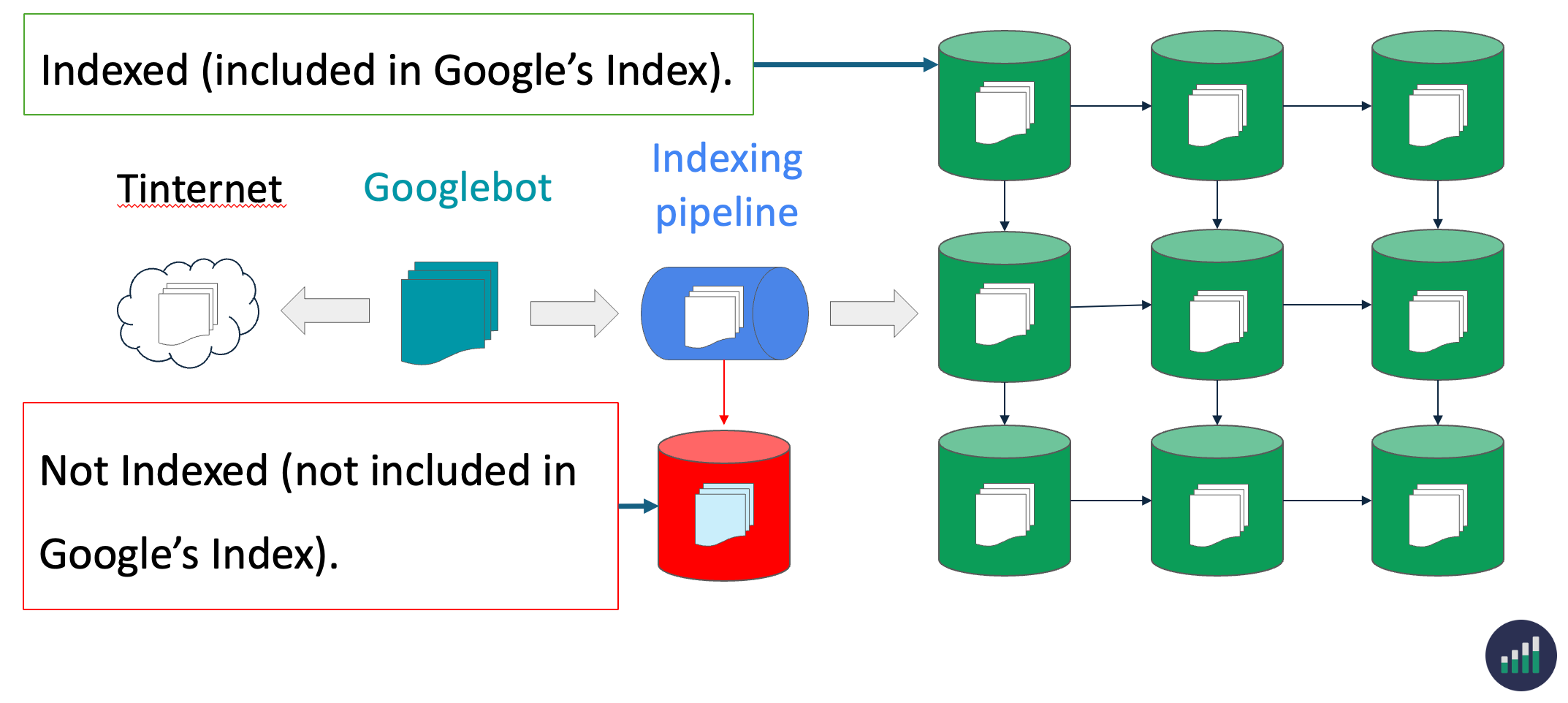
This is inaccurate.
The reality is that Google stores ALL processed information about Indexed and Not indexed pages in it’s index.
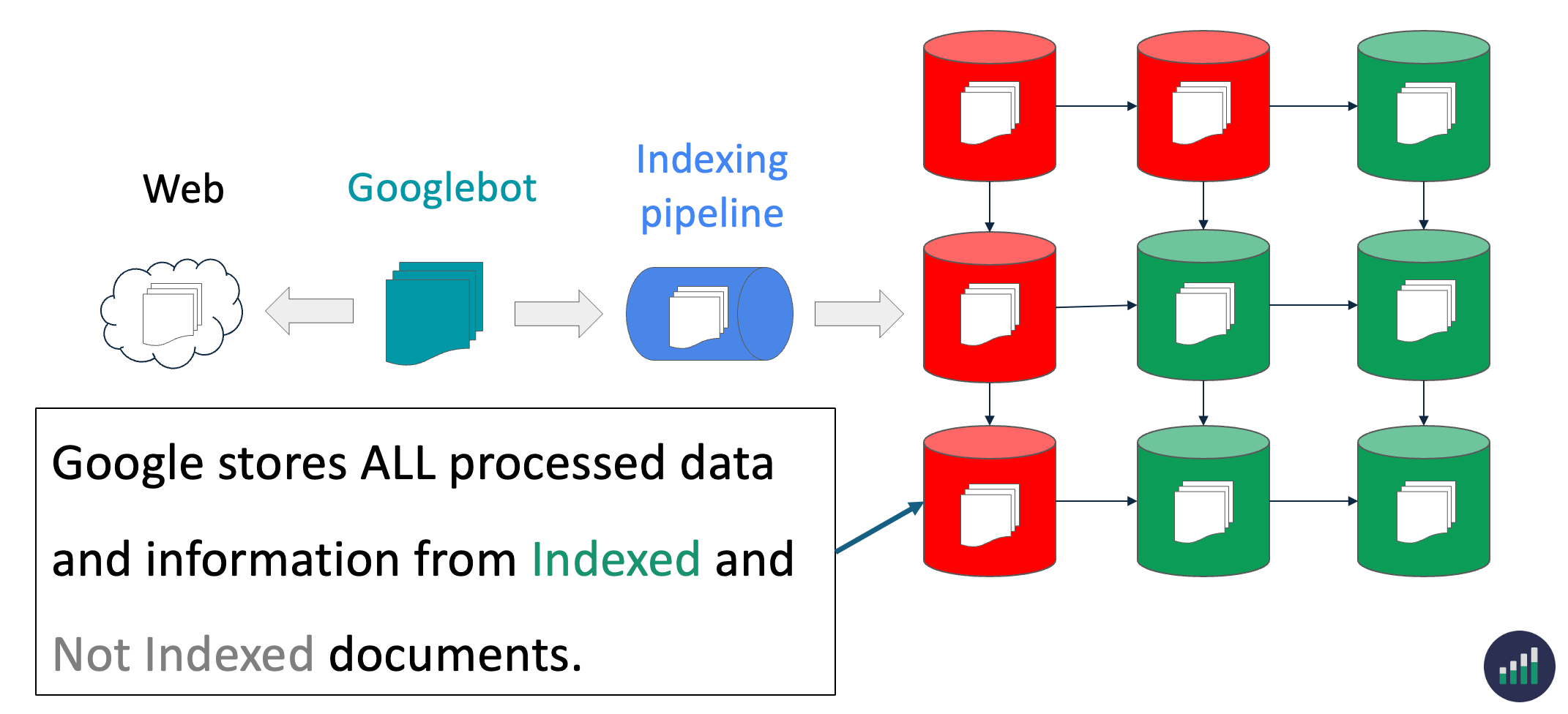
For example, you can pull stored information from Google’s index for Not Indexed pages in the URL Inspection Tool and API.
Google’s URL Inspection Tool will provide you with the current data from it’s index.
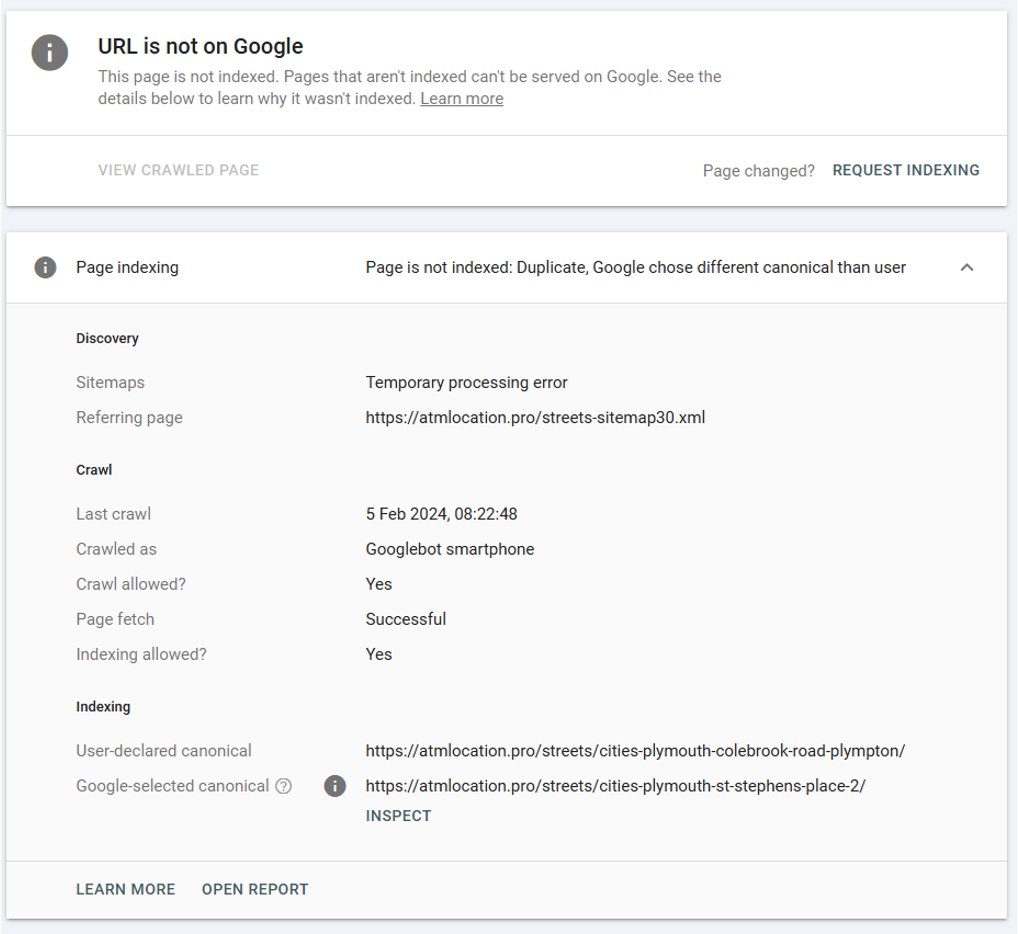
When you’re looking at the Page Indexing Report remember: You are looking at ALL the processed and stored page indexing data about your website.
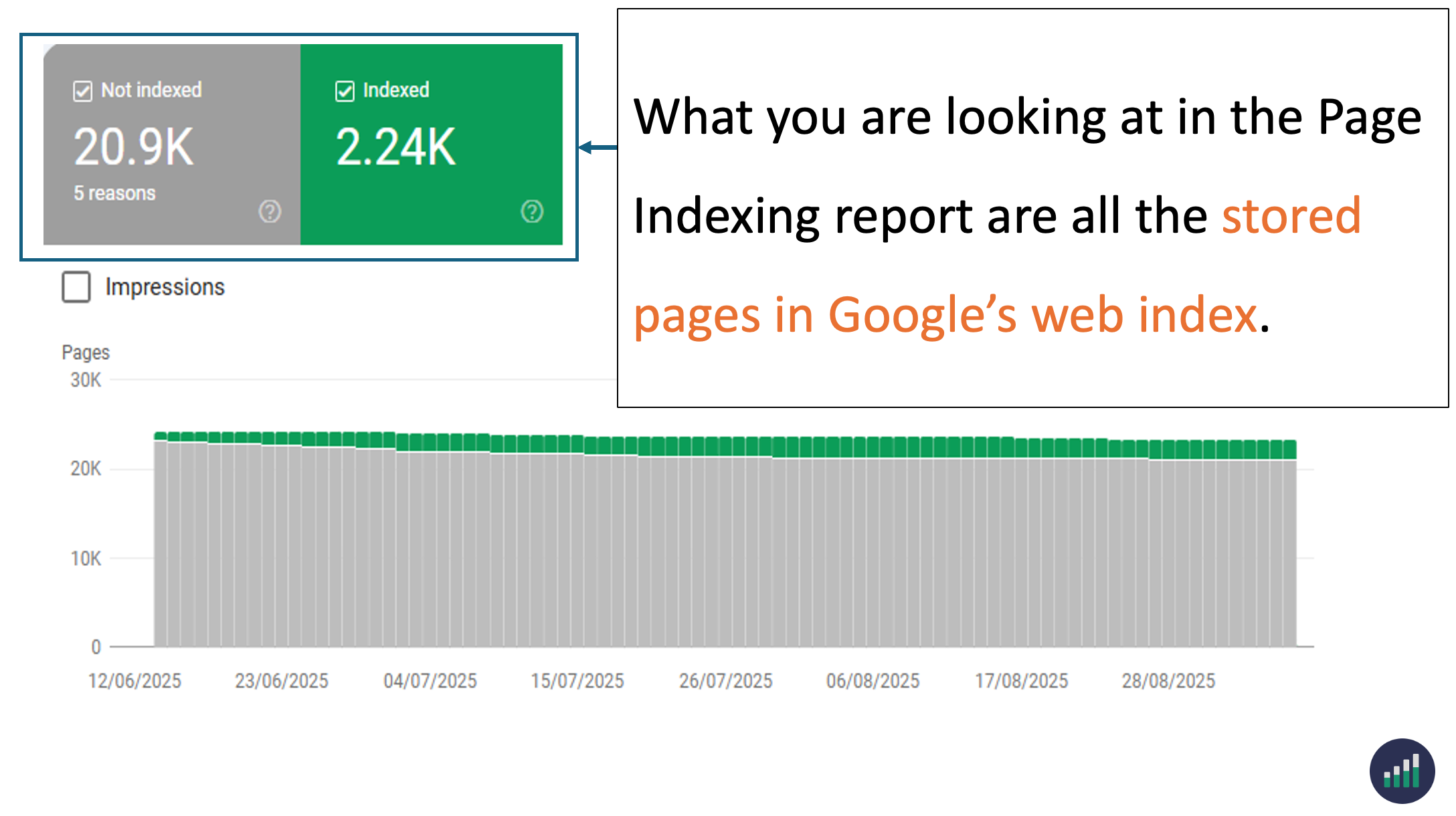
If the Page Indexing Report shows ALL stored and processed information in Google’s index. Then what is the difference between Indexed and Not Indexed?
Indexed vs Not Indexed: What’s the difference?
The difference between the two verdicts is:
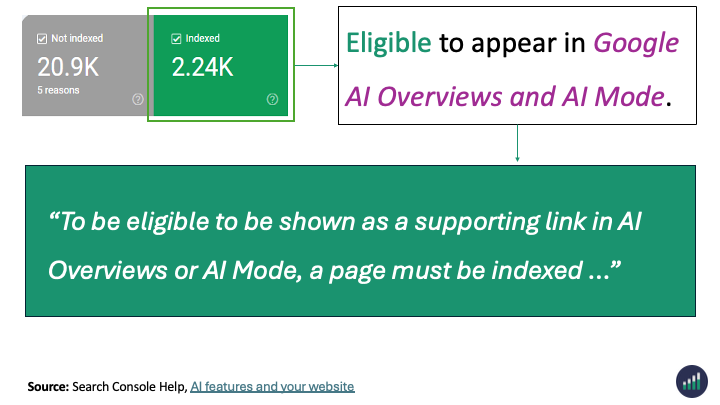
Indexed - Eligible to appear in Google’s search results.
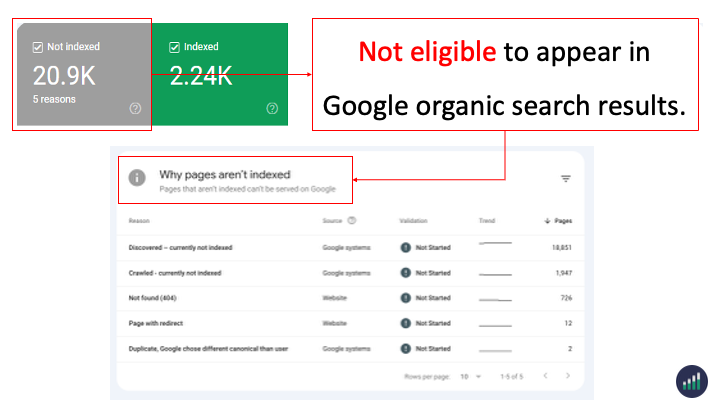
Not Indexed - Not Eligible to appear in Google’s search results.
Indexed
If a page is marked as Indexed it’s eligible to appear in Google’s search results.
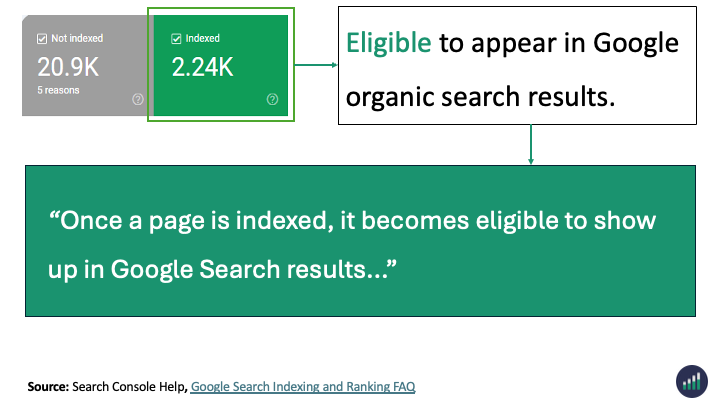
This means that the content and page URL can be served to users in Google’s search engine results. It doesn’t garuntee it but the page can be shown.
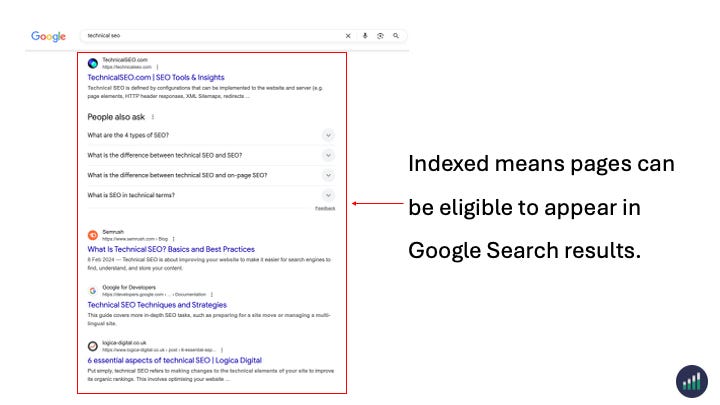
And yes, a page needs to be Indexed for content or passage to appear in this also AI Search features.
Not Indexed
If a page is marked as Not Indexed it’s eligible to appear in Google’s search results.
This means that the content and page URL will not be served to users in Google’s search engine results. And you can see the reasons why the processed pages are not eligable to appear in Google search engine results.
Summary
The Page Indexing report in Google Search Console is widely misunderstood by SEO professionals and business teams.
Many think it shows pages stored in Google’s index and not stored in the index.
In reality the Page Indexing Report shows all the processed pages in Google’s Search index about a website. Not just the indexed pages.
The difference between Indexed vs Not Indexed is:
Indexed - Eligible to appear in Google’s search results.
Not Indexed - Not Eligible to appear in Google’s search results.
Everything in the Page Indexing report is processed and stored in Google’s index.
What you’re looking at are pages that have the potential to be shown to users in search results and pages that Google has decided NOT to show to users.
Do you want to monitor Google indexing and crawling at scale?
Indexing Insight is a Google indexing intelligence tool for SEO teams who want to identify, prioritise and fix indexing issues at scale.
Watch a demo of the tool below to learn more 👇.